A real PencilKit canvas
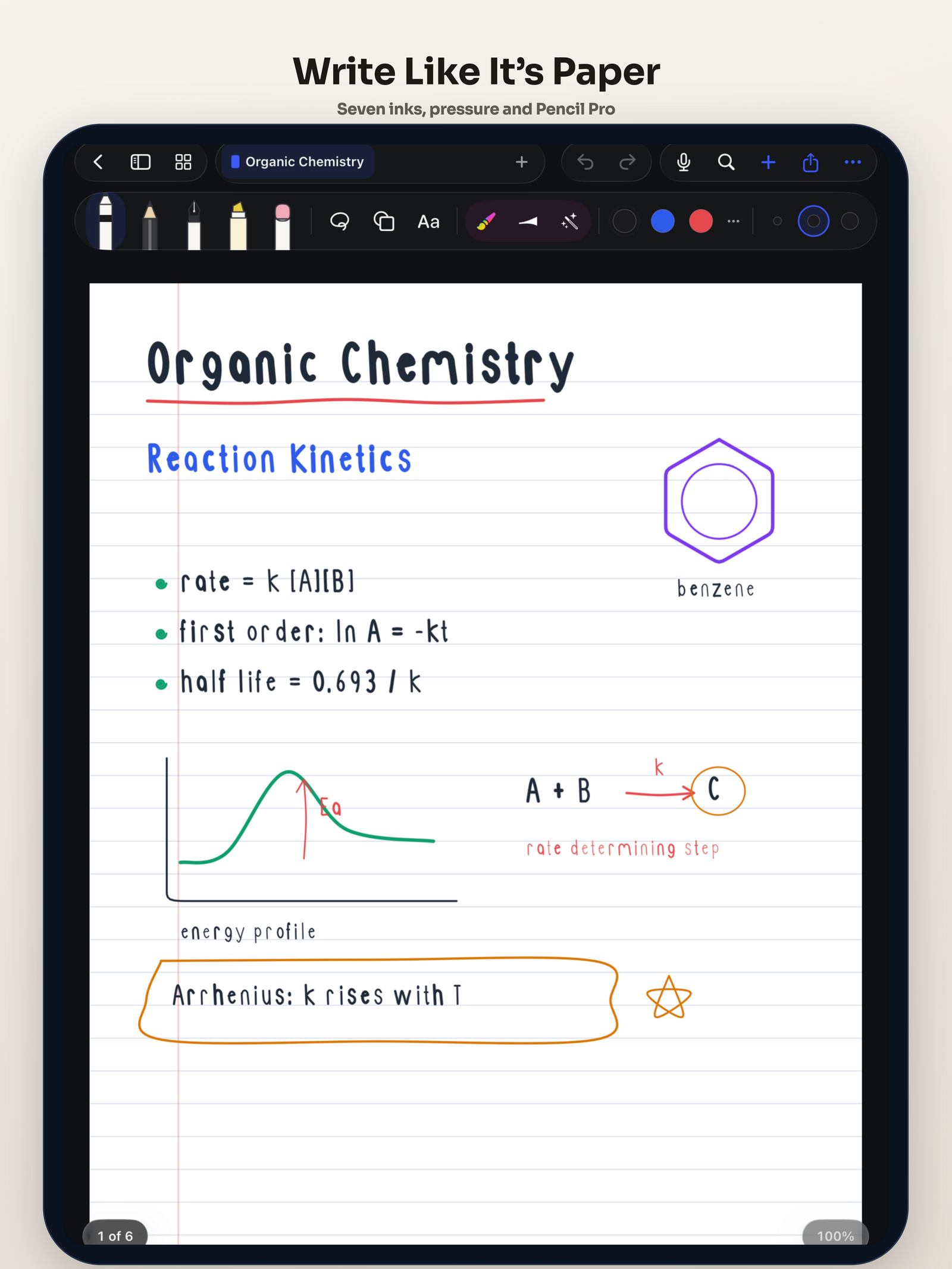
Ballpoint, fineliner, brush, graphite, fountain pen and highlighter — each with its own colours and widths. Pressure-sensitive strokes, Apple Pencil hover, and draw-and-hold to snap freehand into clean shapes.
SimplyInk puts a full Apple Pencil canvas in every notebook — pens, shapes, stationery and PDF markup — plus the Color and Width Changers that let you restyle existing ink with a brush. Try every tool with limited notebooks — Pro is one purchase, not a subscription.
Pens, paper, stationery and PDF pages in one place — plus tools that let you change ink after you write, not only while the stroke is wet.
Ballpoint, fineliner, brush, graphite, fountain pen and highlighter — each with its own colours and widths. Pressure-sensitive strokes, Apple Pencil hover, and draw-and-hold to snap freehand into clean shapes.
Brush the Color Changer over strokes, shapes or text to recolor them — or limit it to one source colour. Brush the Width Changer to thicken, thin or set a width. Either tool can run on a whole page.
Washi and study tape, sticky notes, stamps, index flags, reveal tape and more — place or drag them onto the page like real desk supplies.
Import a PDF as a notebook, mark it up with ink and text, then export the whole book or selected pages.
Start a page on iPhone, finish it on iPad. Notebooks sync through your private CloudKit container.
On-device handwriting recognition indexes every page. Search from the library or the editor, jump to the match, and see it highlighted on the page — typed text and imported PDF text included.
Most note apps lock colour and width the moment the stroke lands. SimplyInk lets you revise ink the way you’d revise a sketch — with a brush.
Pick a colour, brush over ink or shapes. Limit to one source colour, or recolor a whole page — even every page in the notebook.
Choose Thicker, Thinner or Set a width, then brush over strokes. Apply to the whole page when you want one pass.
Select handwriting, move and resize it, or Convert to Text with on-device recognition — one undo brings the ink back.
Library, editor, Changers and PDF markup — the full notebook canvas.
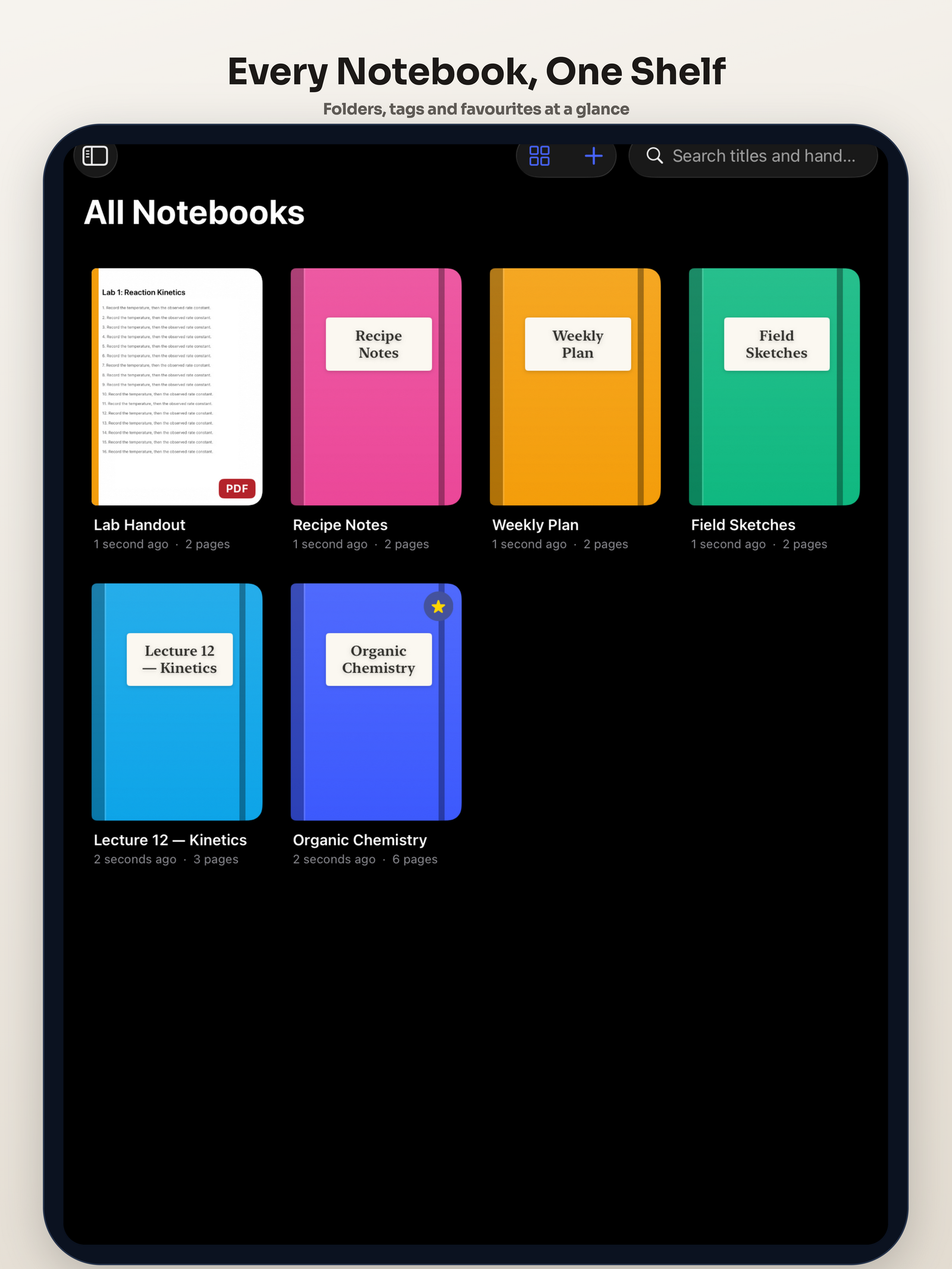
Book-style covers, folders and search across handwriting.
Pens, Changers and Desk Kit on a full Pencil canvas.
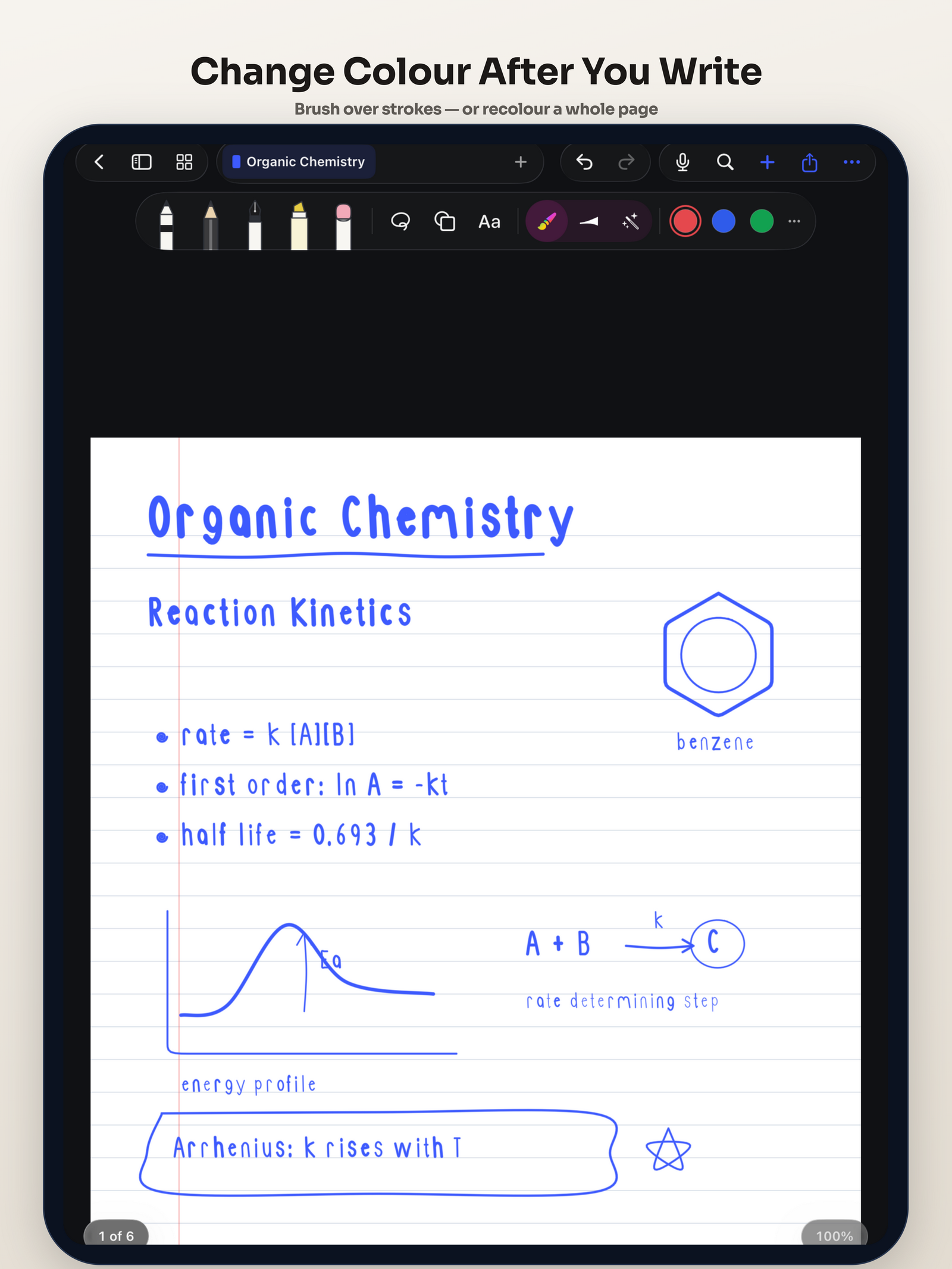
Brush over ink to recolor it — or a whole page at once.
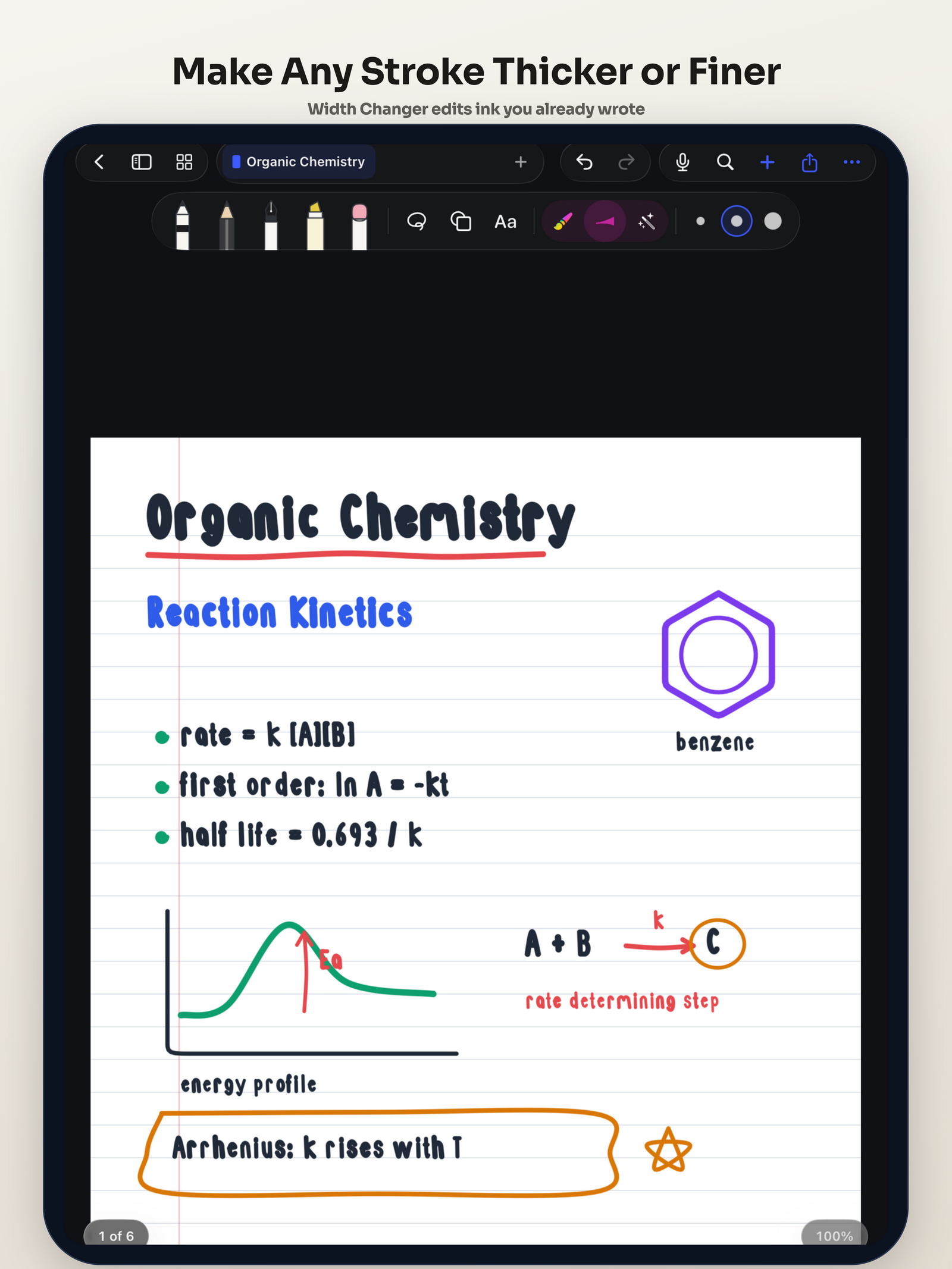
Thicken, thin or set stroke width with a brush.
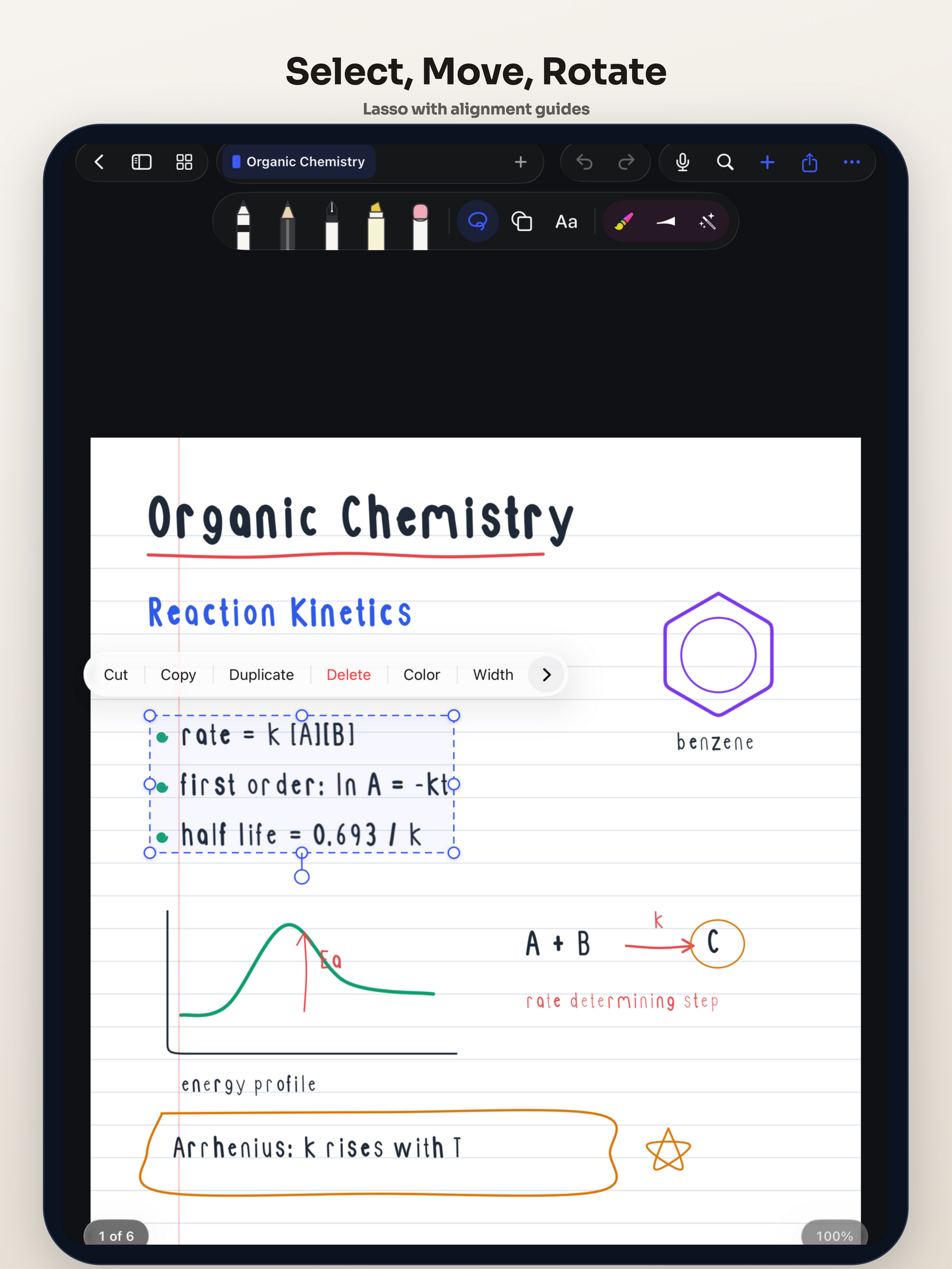
Move, resize and recolor selections of ink, images and text.
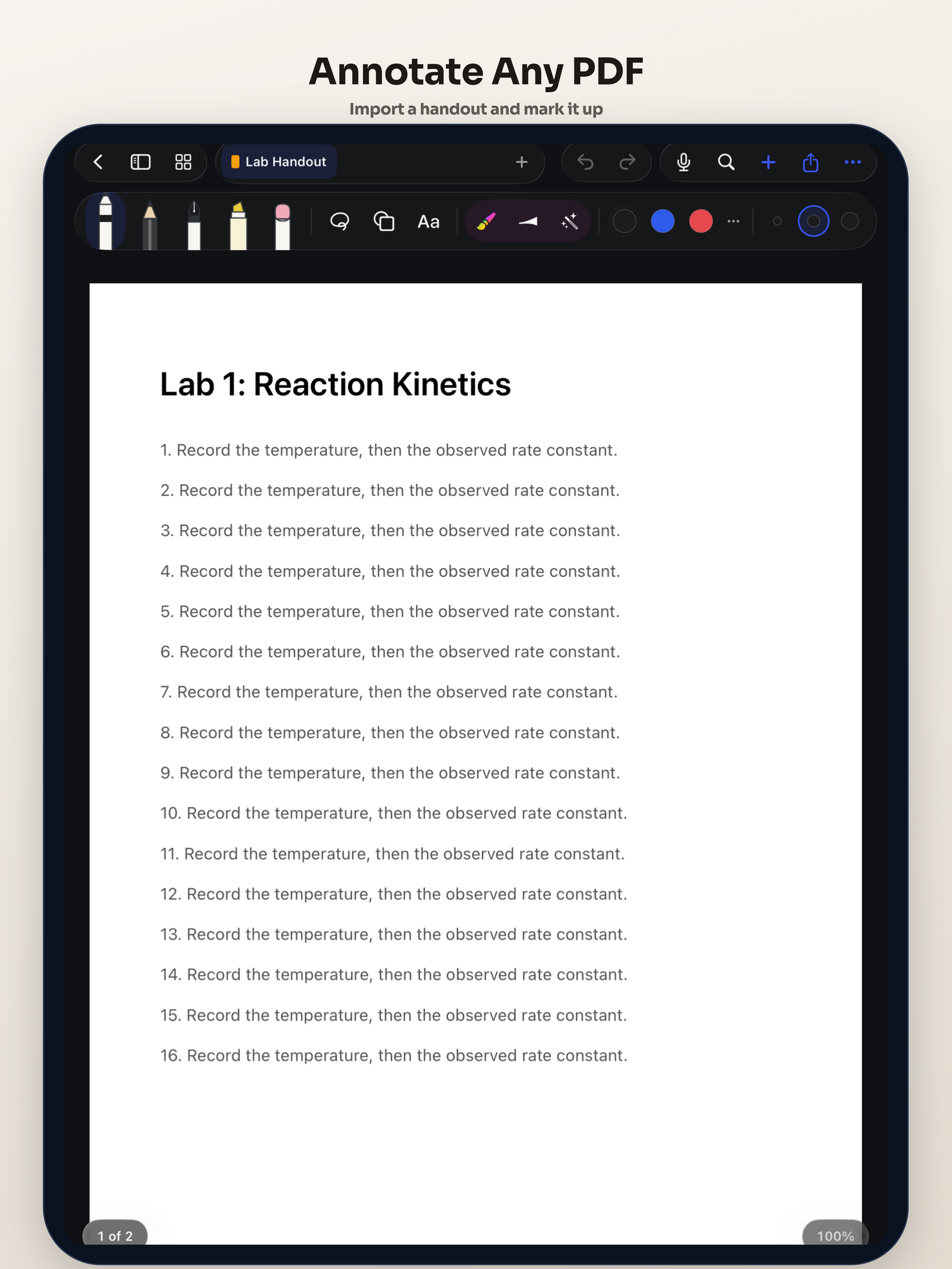
Import a PDF, annotate it, export selected pages.
No subscription. Download and use the full toolset with notebook limits; Pro is a one-time purchase for unlimited notebooks and pages.
Full app to try — limited by how many notebooks and pages you can keep.
A non-consumable in-app purchase. Buy it once, keep it forever.
Purchased inside the app. Restore anytime from the App Store.
No. There is no subscription. You can download SimplyInk and try every tool with limited notebooks — 1 notebook (up to 3 pages) and 1 PDF-import notebook (the PDF’s own pages plus 3 more). SimplyInk Pro is a one-time purchase that removes those notebook and page limits for good.
Select the tool, pick a colour or width mode, then brush over existing ink or shapes. You can limit the Color Changer to one source colour, and apply either tool to a whole page.
Import a PDF as a notebook, write on it with ink, shapes and text, then export the notebook or selected pages as a PDF from Share.
Yes, through your private iCloud account (CloudKit). Turn sync off anytime to keep notebooks on one device.
No sign-up. Notebooks live on your device and, if you enable iCloud, in your own iCloud container.
Zoom Box, Desk Kit stationery, guides and shapes, rich text, images, audio notes synced to ink playback, handwriting search, Color Key & Lens, locked notebooks, widgets and Share → SimplyInk.
Download SimplyInk, try every tool in your first notebooks, and unlock unlimited notebooks and pages with one purchase — never a subscription.
Requires iOS 17 or iPadOS 17 or later.